
FIELD MANUAL · 01
How to play Shelter 12
Shelter 12 is a face-to-face bunker party game for 4–12 people. Everyone uses their own phone, while the persuasion, alliances and accusations happen around the same table.
- 4–12 people together
- One supported iPhone or Android device per player
- Internet required
- No account for a standard room
- Up to six rounds
In this guide
Preparation
01
Prepare the group
Ask every player to install Shelter 12 and connect to the internet. Sit together so everyone can hear the discussion. Choose one person to host the room.
The base game has no ads, and a standard game can begin without creating an account.
02
Create and join a room
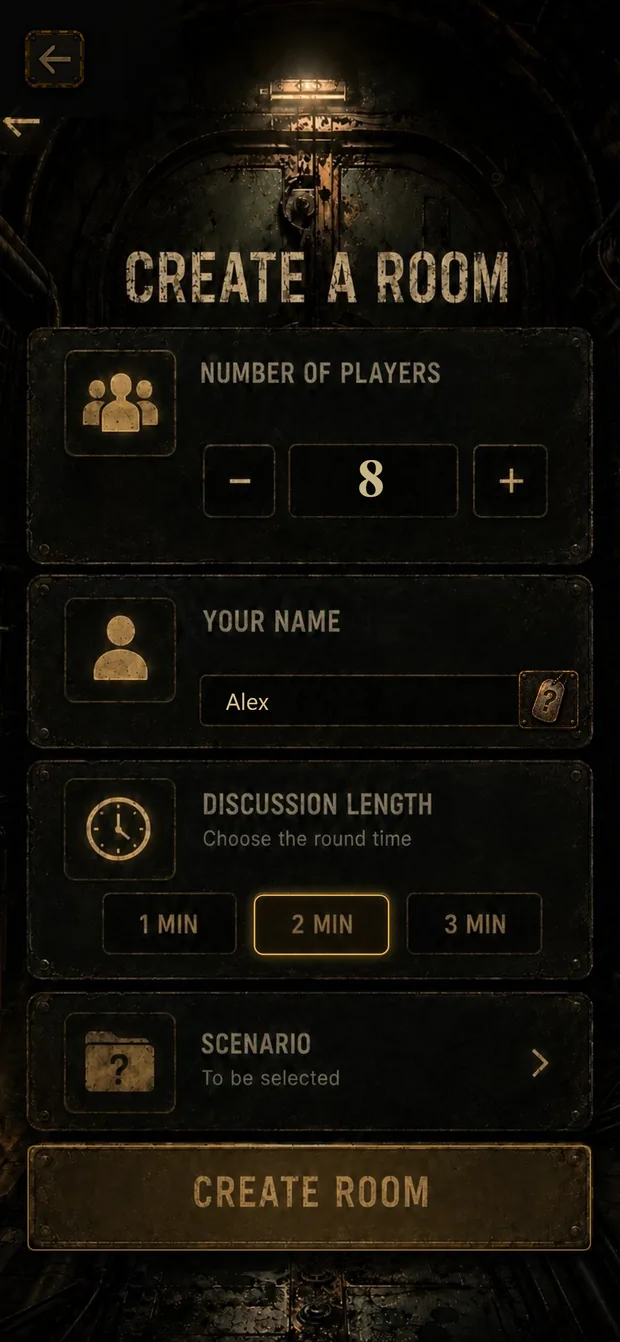
The host selects the intended number of players, enters a name and creates the room. The game starts only after that number of players has joined.
Everyone else enters the six-character room code or scans the QR code. Check the roster before the host starts the game.
 Enlarge
03
Read the catastrophe and shelter
At the start, the app introduces the catastrophe, the main shelter and the exact number of available places.
The main shelter holds half the group, rounded up when the number of players is odd. Four players compete for two places; five players compete for three.
The basement is a separate location. Its details remain private until a player is sent there.
04
Understand your dossier
Every character has eight cards:
- Profession
- Biology
- Health
- Behavior
- Baggage
- Fact
- Ability
- Condition card
The first six categories form your public argument. They begin hidden and can be revealed during the rounds. Your ability is revealed when you use it. The condition card stays face down until the finale.
Read the complete dossier before you speak. A useful profession can come with a serious health condition, and strange baggage may become relevant after an incident. There is no automatically correct character.
Round
05
Play a round
The app chooses a reveal order. On your turn:
- Select one currently available hidden card.
- Reveal it to the room.
- Explain why it strengthens your case—or why the group should not judge it too quickly.
- Finish your turn when you have said your piece.
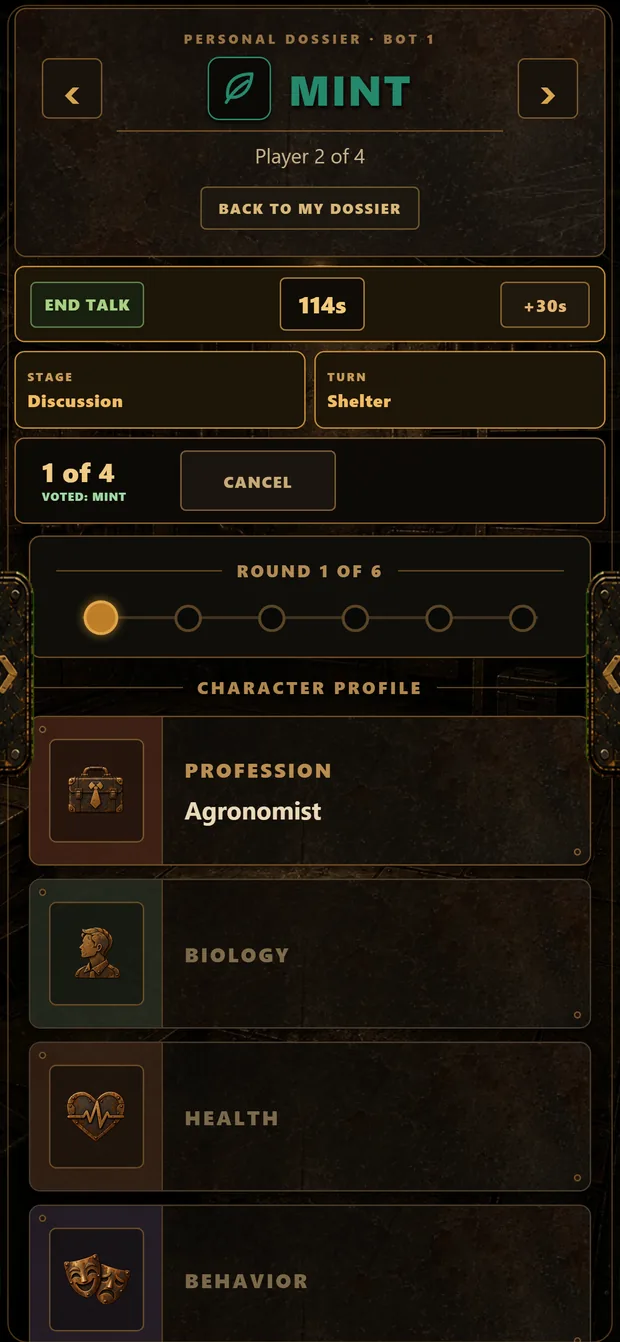
After the reveal turns, discuss the group, the shelter and the current incident. An incident is a prompt for the table: it may make a profession, item or weakness more relevant, but it does not award automatic points or declare a correct solution.
Voting and basement
06
Vote
When the app makes the ballot available, active players may vote against another active player or choose nobody. You cannot vote against yourself. Players already in the basement do not vote.
Choosing nobody is a completed decision. Withdrawing an existing choice returns you to an undecided state.
Normally, if no counted vote is cast, nobody moves to the basement that round. When too few rounds remain to reach the shelter’s capacity, the app may require an elimination instead. Follow the instruction shown on the ballot.
After the count, review how the table decided and acknowledge the result before play continues.
Ties and protection
If the first count is tied, each tied candidate receives a turn to defend their place. The group then votes again only between those candidates. A second tie is resolved by a random draw inside the app.
Some abilities protect a player for the current round. Votes may remain visible against a protected player, but that player cannot be eliminated while the protection is active.
 Enlarge
07
Use abilities
Abilities are not all used in the same way or at the same time. The card itself and the available controls are the authority.
An ability may let you inspect or reveal a card, exchange baggage, block another ability, protect a player, alter a vote or preview an incident. Using an ability makes its card public.
If the action is unavailable, read the card and wait for an eligible stage.
08
Keep playing in the basement
A player voted out of the main shelter moves to the basement and remains part of the game.
Basement players receive:
- Their own basement description and incidents.
- A shared opportunity to address the main shelter before a later vote.
- A named survivor whom they are encouraged to recruit.
The basement speaks as one group. Use that moment to challenge the shelter’s reasoning, support the recruitment target shown by the app or change the next vote.
Finale
09
Reach the finale
A game ends when the number of active players reaches the shelter’s capacity or after the sixth round.
When the doors close, the current groups are final. Your votes determined who is in the main shelter and who is in the basement; they do not guarantee that either location will survive.
The game presents separate stories for the main shelter and basement. Afterward, the group can inspect every player’s cards and choose whether to play again.
11
Ready to play?
Bring 4–12 people together, make sure every phone is online and let one person create the room.
If you need help, contact kaktuscom03@gmail.com.